Views for the way you work.
Save structured filters and sorting for the records you return to. Focus on an owner, a company, a status or the fields that matter to your team.
DEEPWATER CRM / RELATIONSHIPS & OPERATIONS
Keep the people, companies, deals and follow-through connected. Shape the workspace around your process, from the first conversation to the work after the deal is won.
Your relationship and operations module. Add others as you need them.
01 / MORE THAN A CONTACT DATABASE
A contact is more useful when you can see the company, opportunities and work around them. Linked records let your team follow the relationship, while saved views bring the right slice of the business into focus.
Account context, ownership and related records.
The people involved, linked deals and pipeline stage.
An owner, due date and connection to the work.
Save structured filters and sorting for the records you return to. Focus on an owner, a company, a status or the fields that matter to your team.
Tasks can connect to companies, contacts, deals and projects. Follow-through lives beside the relationship, with an assignee and due date.
Organization isolation, record visibility and linked-record checks shape what each person can see. A connection does not bypass permissions.
02 / PIPELINE IS A PROCESS
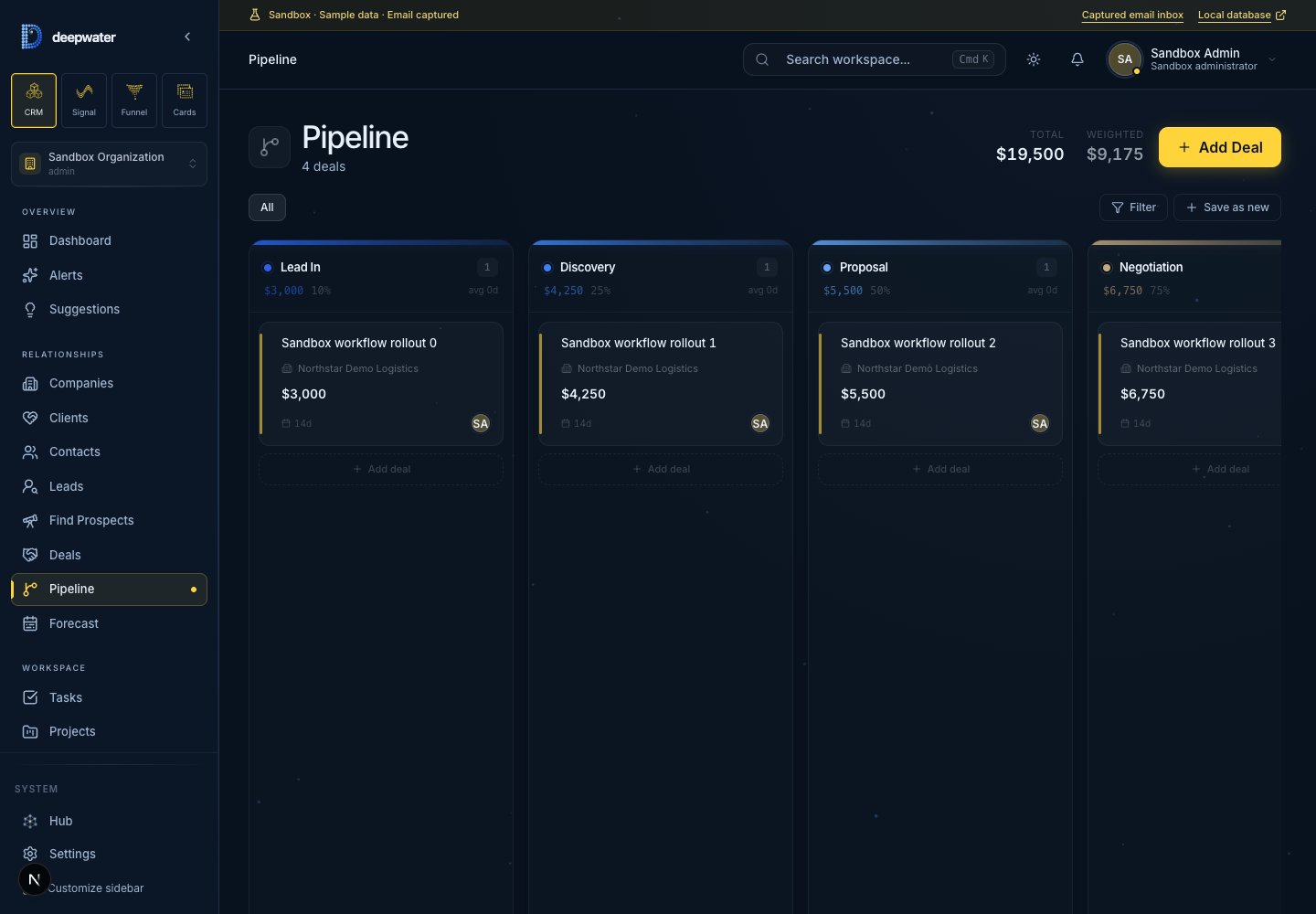
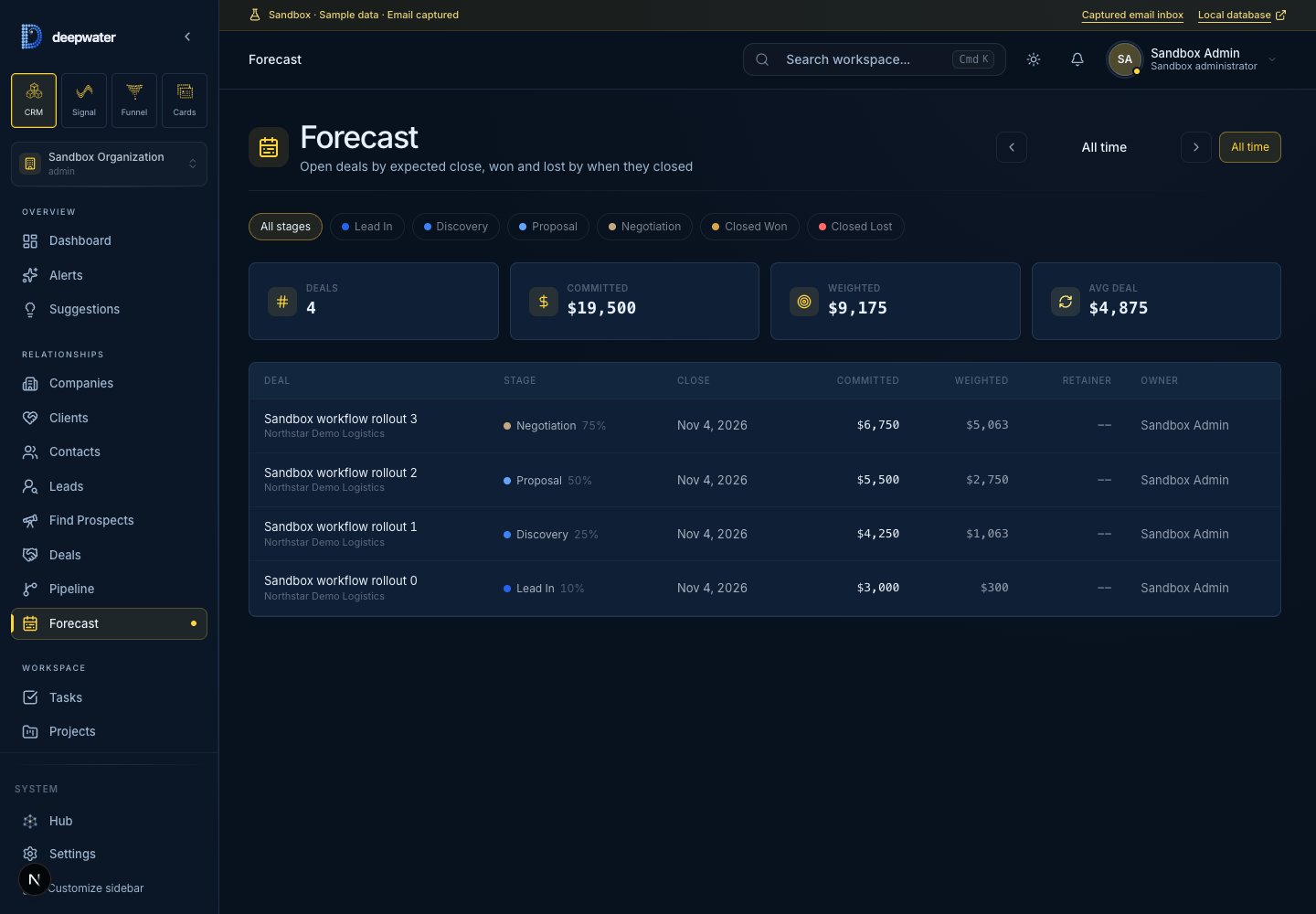
Use the pipeline board to move deals through your stages. Forecast by expected or actual close date, with committed value, probability-weighted value and recurring revenue kept distinct.
The board reflects your pipeline. Moving a deal uses the same permissions and configured rules as the rest of the product.
Filter by month, pipeline, stage or owner and review the deals behind the totals. Expected dates guide open opportunities; actual dates place closed deals.
Committed value and weighted opportunity value answer different questions. Recurring monthly value stays separate from the pipeline total.
03 / BUILT AROUND YOUR BUSINESS
Keep delivery and ongoing account work connected. Add the objects, fields and record layouts your process needs, rather than forcing every part of the business into a generic deal.
Custom objects and fields represent the records your team actually uses. Link them back to contacts, companies, deals and owners.
Record layouts and enabled extensions let the right detail sit where the work happens. Implementation defines the configuration and handover.
API and MCP access can help inspect records and carry out permitted actions. Scopes, approval controls and audit records remain part of the workflow.
Projects and linked tasks help carry the relationship into delivery. A won deal can lead into continuing work without losing the account context.
Start with the CRM module, then combine Signal, Funnel or Cards as your needs grow. Module source connections and any data handoffs are configured deliberately.
Sensitive actions can require approval. Agent operations are scoped and audited; access to a connector is not blanket permission to change the business.
PART OF THE BUSINESS INTELLIGENCE LAYER
CRM, Signal, Funnel and Cards connect through one stateless MCP. Hours, Computer, Net and Learn are coming soon; their connector capabilities are being scoped. Connect your AI tools once, then ask simple questions across your business with your organization’s permissions in place.
See your business from one connectorSTART WITH THE WORK YOU WANT TO IMPROVE
We agree the workflows, source access, configuration and handover. Choose hosted SaaS or a separately scoped self-hosted installation.
DEEPWATER CRM / HOSTED PLANNING ESTIMATE
$750 / month
Includes five human users.
Published prices are USD planning estimates; unpriced modules require a separate quote. Your proposal confirms scope, capacity and availability. Self-hosted licensing and support require a separate quote.
Explore pricing & implementation