Know where a number came from.
GA4 and Search Console metrics retain their provider labels. Sessions, users and search impressions keep their own definitions.
DEEPWATER FUNNEL / MARKETING INTELLIGENCE
Bring your marketing evidence into a view your team can use. Start with traffic and search visibility, then scope the source connections that explain the journey toward a conversation.
Start with this module. A CRM subscription is not required.
01 / START WITH THE FACTS
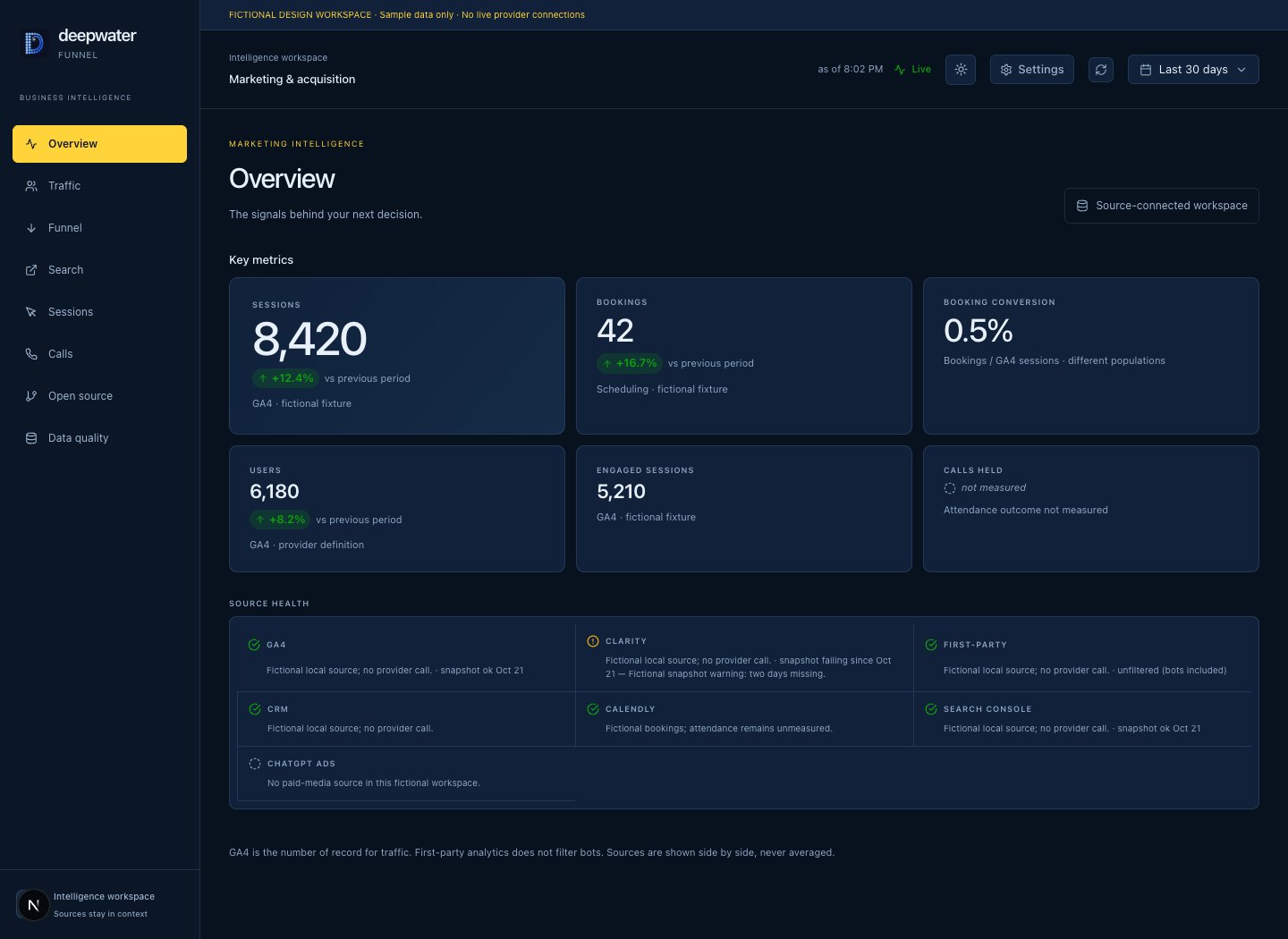
The standard Deepwater Funnel overview connects your organization’s GA4 and Search Console properties. See the last 30 days of sessions, users, search clicks and impressions, with the source and reporting period attached.
A landing page.
A session. A question.
A search, referral
or stated source.
A booking.
A qualified conversation.
Connect the evidence. Keep the gaps visible.
Synthetic workflow illustration. No customer records or live measurements.
Illustrative values. Your overview reads your configured properties; missing results appear as unmeasured.
GA4 and Search Console metrics retain their provider labels. Sessions, users and search impressions keep their own definitions.
Connected, unavailable and unconfigured sources are shown explicitly. A refresh retrieves the overview again.
The overview requests final Search Console data. Recent days may still be incomplete, rather than a sudden disappearance of demand.
02 / GO DEEPER, WITH A DEFINED SCOPE
An expanded Funnel workspace brings channels, landing pages, booking outcomes, search intent, friction signals and CRM outcomes into the investigation. Follow the evidence across those views while keeping source definitions and matching confidence visible.
Illustrative measurement path. Each stage needs a named source and an agreed definition.
The standard Deepwater module provides the GA4 + Search Console overview and its read-only MCP tool. Expanded workflows are available through a scoped Funnel workspace, with source connections and business definitions agreed during setup.
Explore page and channel breakdowns, per-session journeys, and Clarity friction views in an expanded workspace. Source access, tracking setup and available history determine what can be measured.
Keep exact identity links separate from timing and campaign candidates. Anonymous sessions are not confirmed people; possible Clarity replays stay labelled as candidates.
An expanded workspace counts won deals by actual close date and your CRM’s won-stage definitions. Deals missing a close date are reported separately, instead of quietly moved into the wrong month.
03 / EVIDENCE OVER FALSE CERTAINTY
Decisions get better when missing data, reporting delays and different definitions stay visible. Funnel is built around a simple rule: report what the source measured, and say when it didn’t.
An absent measurement
isn’t a measured zero.
Sample values and states. The standard overview does not infer conversions or revenue attribution from traffic.
The standard overview keeps absent provider results distinct from zero. It does not infer conversions or revenue from a traffic count.
Paid-media spend and self-reported referrals remain different kinds of evidence in a scoped workspace. Spend divided by an AI-credited booking is a qualified comparison, not a tracked conversion or proven return on ad spend.
A deeper source view includes reconciliation and snapshot health. Different filters, reporting windows and missing history remain visible; conflicting session counts are not averaged into a new fact.
PART OF THE BUSINESS INTELLIGENCE LAYER
CRM, Signal, Funnel and Cards connect through one stateless MCP. Hours, Computer, Net and Learn are coming soon; their connector capabilities are being scoped. Connect your AI tools once, then ask simple questions across your business with your organization’s permissions in place.
See your business from one connectorSTART WITH THE WORK YOU WANT TO IMPROVE
We agree the workflows, source access, configuration and handover. Choose hosted SaaS or a separately scoped self-hosted installation.
DEEPWATER FUNNEL / HOSTED PLANNING ESTIMATE
$299 / month
Per workspace. Source connections are configured during setup.
Published prices are USD planning estimates; unpriced modules require a separate quote. Your proposal confirms scope, capacity and availability. Self-hosted licensing and support require a separate quote.
Explore pricing & implementation